Instagram Reels rewards motion, hooks, and audio that keeps viewers rewatching. Trending sounds can explode reach—but a copyright strike on branded content can silence monetization overnight. This guide shows how to pick royalty-free tracks that feel trending while staying safe for business accounts, with practical filters you can apply in FreeBeatHub.
How Reels Audio Works in 2026
Reels still weights watch-through and replays heavily. Audio acts as a discovery signal when users browse the Reels tab, but Meta also enforces music rights on ads and some commercial surfaces. Native trending audio works for organic reach; royalty-free alternatives protect revenue when you promote products or run partnerships.
- Organic Reels can borrow trending in-app audio
- Boosted posts and branded content need clearer rights
- Loops and replay bait amplify algorithmic favor
- Muted audio on save hurts completion rate
Going Viral Without Copyright Strikes
Virality without rights is a liability. Build a library of high-energy instrumentals that mirror trending moods—phonk-adjacent bass, sped-up house percussion, clean pop drums—without sampling protected masters. Document licenses in a shared folder your editor can access.
Safe alternatives to trending sounds
Search by mood tags like "hype," "aesthetic," or "runway" on FreeBeatHub. Pair them with on-screen text hooks in the first second. You trade automatic trend association for repeatable creative control.
Picking Tracks That Fit Your Niche
Fitness creators need punchy transients; beauty creators often favor soft house or dreamy pads; finance creators should stay minimal. Misaligned audio makes polished visuals feel meme-literal or corporate-stale.
Your Reel should sound like your niche before viewers read the caption.
Trending vs Evergreen Audio
Trending audio gives a short discovery window; evergreen beds build recognizable series. Use a 70/30 split—most posts from your evergreen pool, trend-chasing only when a format truly fits.
- Evergreen: series intros, tips carousels, testimonials
- Trending: reaction templates, meme formats, challenge hooks
- Hybrid: royalty-free beat + viral text structure
- Archive trending templates in a swipe file for writers
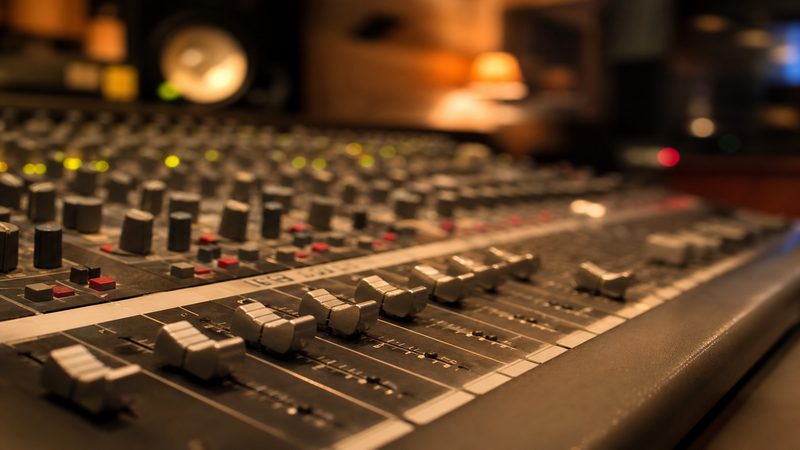
Editing Tips for Reels Music
Cut on downbeats. Align the first bass hit with your visual hook. Use 0.5-second pre-lap audio before the visual jump to pull attention. Normalize to -14 LUFS integrated so Reels volume matches feed expectations.
Loop-friendly structures
Choose tracks with clean eight-bar loops for 15–30 second Reels. Fade tails under 200 ms to avoid clicks when Instagram loops the clip.
Pre-Publish Checklist
Before you schedule: confirm license scope on the license page, test with branded content toggles if applicable, verify voiceover sits above music, and preview without captions to ensure the hook still lands. Cross-post audio choices to TikTok only after checking that platform's rules too—see our blog for platform guides.
- License saved
- Hook in frame 1
- Music under VO ducked
- Captions readable
- Cover frame matches energy
Key Takeaways
- Use royalty-free music for branded and boosted Reels
- Mirror trending energy with instrumentals from your licensed library
- Cut on downbeats and normalize loudness for mobile feeds
- Maintain a 70/30 evergreen-to-trending audio strategy
- Run a five-point pre-publish checklist every time
| Niche | Mood | Tempo | Example Use |
|---|---|---|---|
| Fitness | Hype / Punchy | 125–140 BPM | Workout demos |
| Beauty | Dreamy / Soft | 95–110 BPM | GRWM transitions |
| Food | Playful / Acoustic | 100–120 BPM | Recipe speedruns |
| Business | Minimal / Corporate | 80–100 BPM | Carousel explainers |
Ready to find your soundtrack? Browse thousands of royalty-free tracks on FreeBeatHub.
Browse Free MusicFrequently Asked Questions
Can I use royalty-free music on Instagram Reels for ads?
Royalty-free tracks with commercial rights are safer for ads and branded content than random trending audio. Always confirm your license covers advertising use.
Why do my Reels sound quieter than others?
Normalize music to around -14 LUFS and leave headroom for voiceover. Instagram compresses loud uploads unpredictably.
Should I use trending audio or original music?
Trending audio can help organic discovery; royalty-free music protects monetized and branded posts. Many creators use both strategically.
How long should Reels music hooks be?
Put your strongest musical and visual hook in the first second. Most viewers decide to stay or swipe before 1.5 seconds.